Esc
See it

See it
with your
own eyes

Real screens of the app, captured as they are — no mockups: a task in plain words, the work plan, the permission card, the swarm and the models. The film about one evening is on the home page.

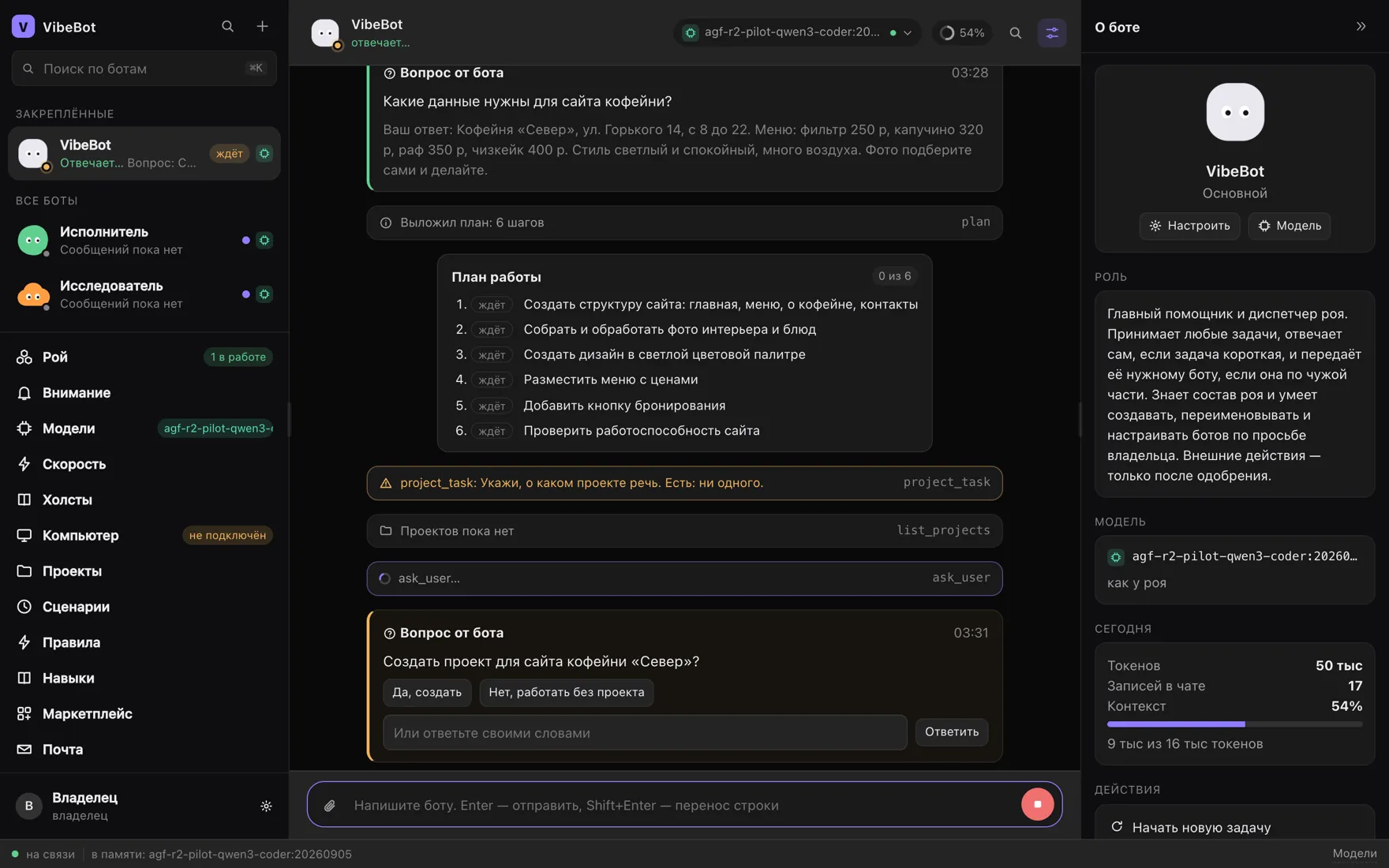
VibeBot screen: the bot broke a café website request into a six-step plan
01 / 06

Plain words in, a six-step plan out

You write like you would to a colleague: “I need a café website — menu, photos, address, a booking button.” The bot decides who the team needs and lays out a plan you can see in full. Whatever is missing, it asks in a card with ready answers.
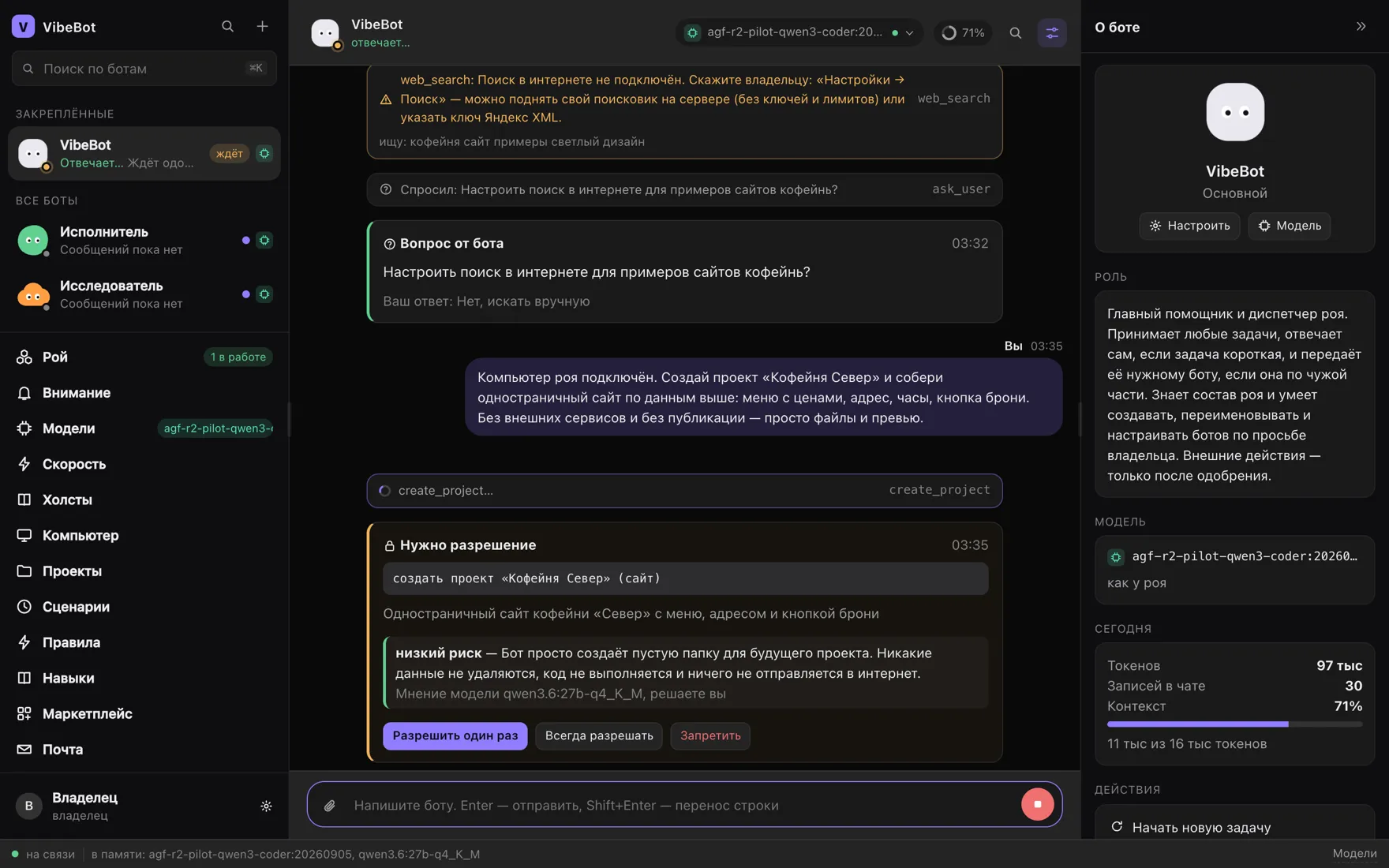
VibeBot screen: a permission card with a risk verdict and the buttons allow once, always, deny
02 / 06

Anything risky waits for your yes

A bot never does the risky thing quietly. It shows exactly what it is about to do, and a separate model rates the risk — its verdict is written into the card. You still decide: once, always, or never.

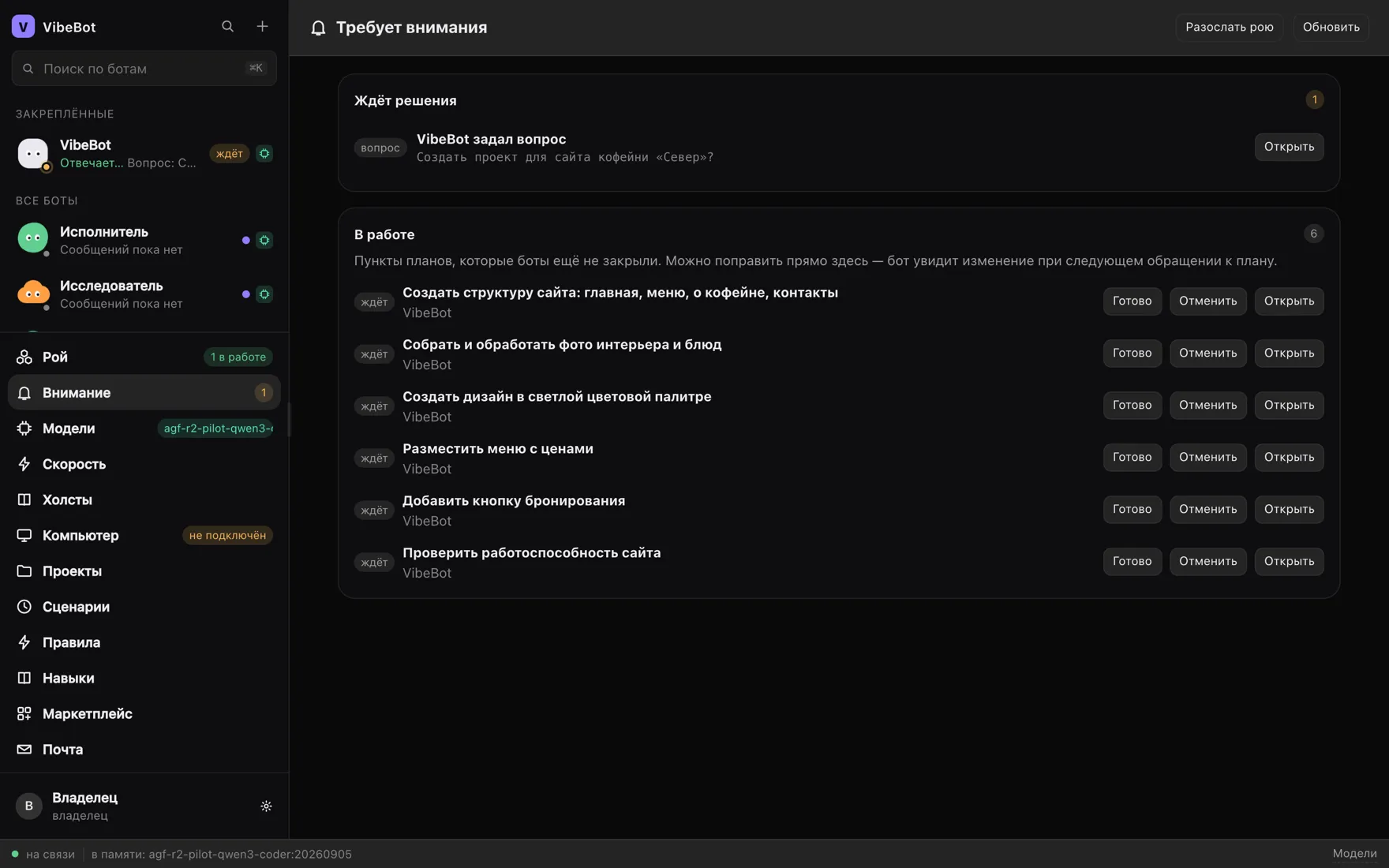
VibeBot “Needs attention” screen: a bot’s question and the open plan items with done and cancel buttons
03 / 06

One place for everything still open

Questions waiting for an answer, and the plan items the bots have not closed yet. Mark one done or cancel it right here — the bot sees the change the next time it reaches for the plan.

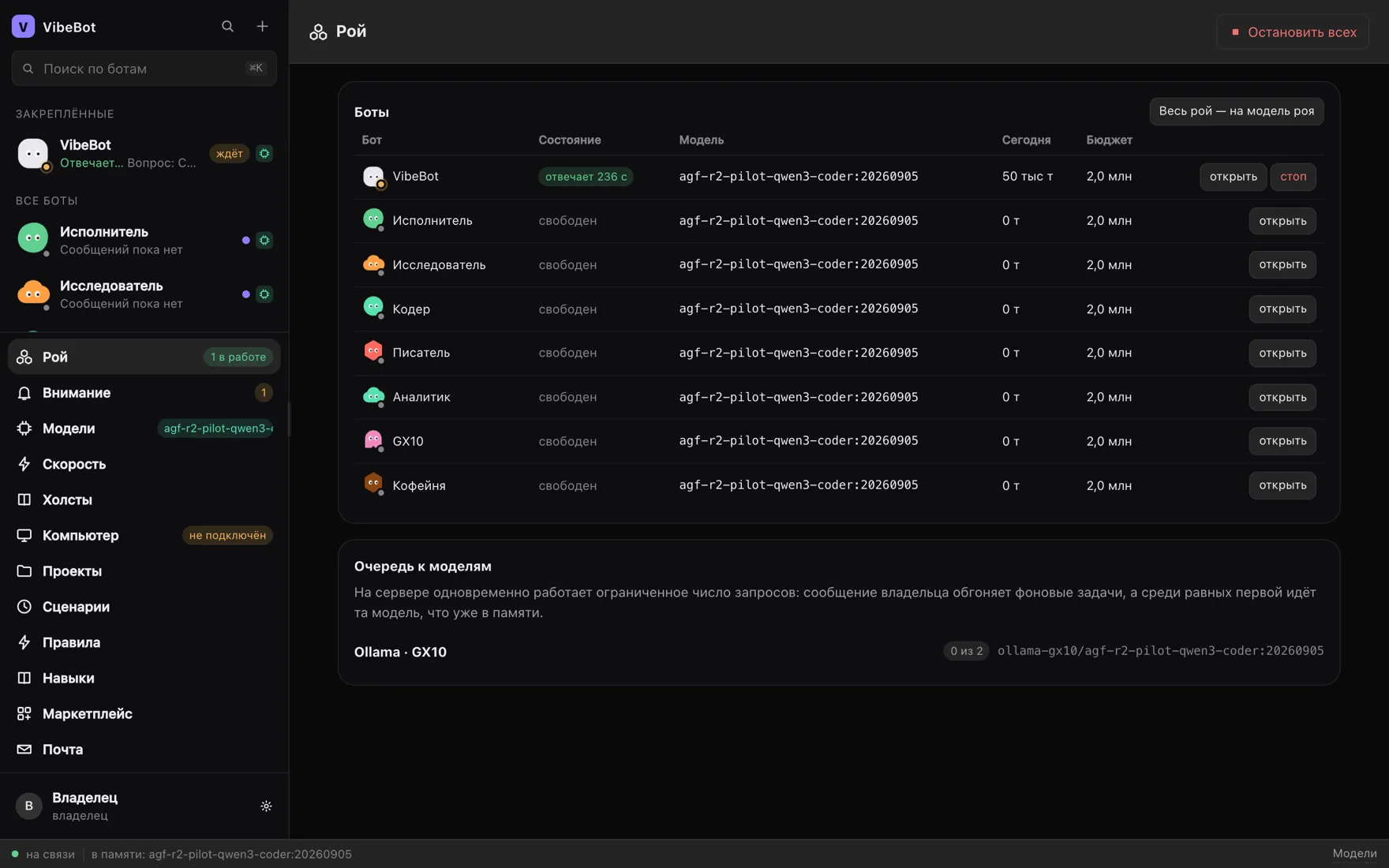
VibeBot “Swarm” screen: a table of bots with state, model, today’s spend, budget and the model queue
04 / 06

Who is working, and what it costs

The whole swarm on one page: who is idle, who is answering and for how many seconds, which model each one runs, what it spent today and the budget you set. The model queue is right there too — you can see who is waiting for whom.

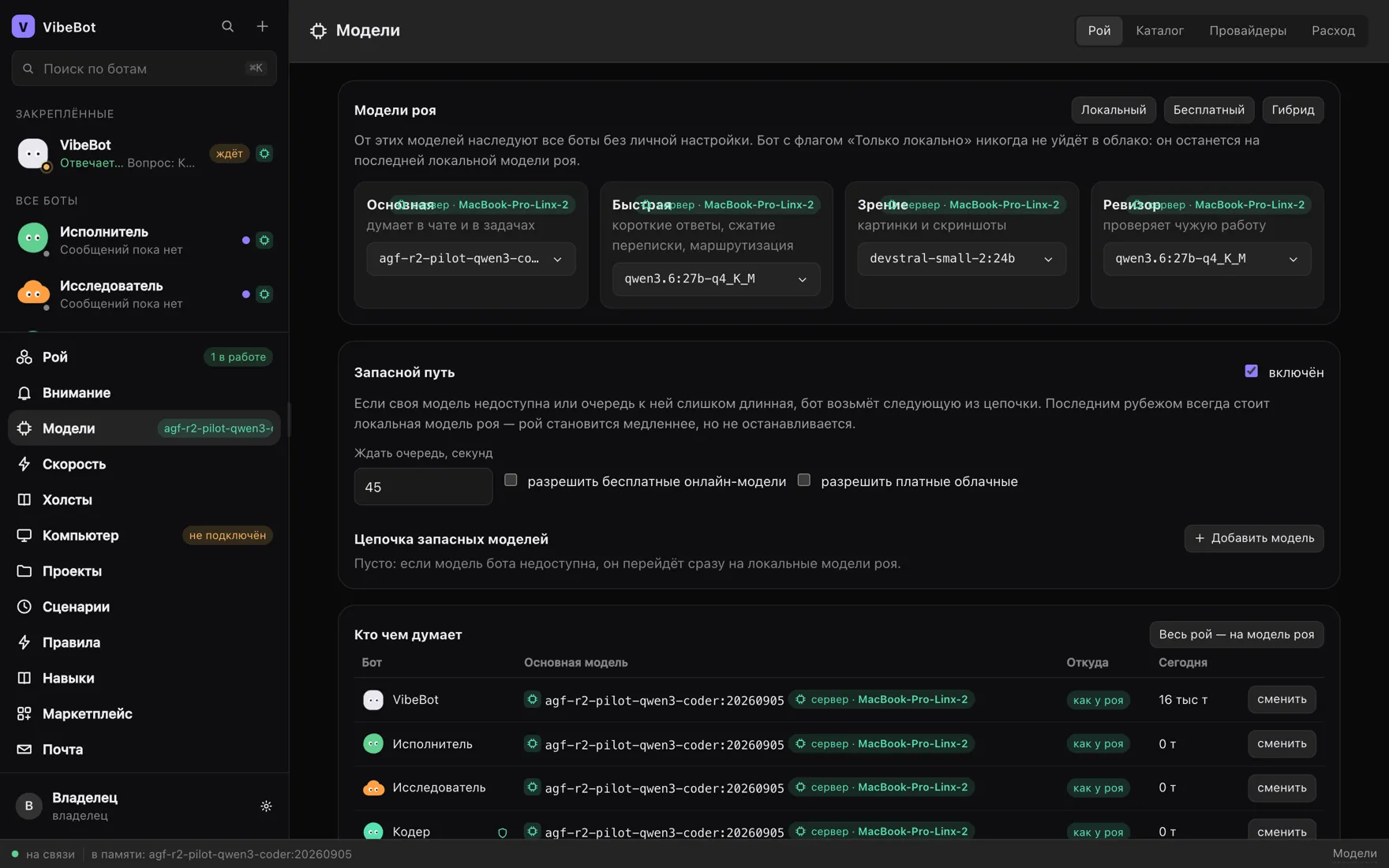
VibeBot “Models” screen: the main, fast, seeing and auditor models, the fallback chain and a who-thinks-with-what table
05 / 06

Four model roles and a fallback path

The main one thinks, the fast one answers briefly, the seeing one looks at images, the auditor checks other bots’ work. If your model is busy, the bot walks down the fallback chain — and the last line is always the model on your own server.

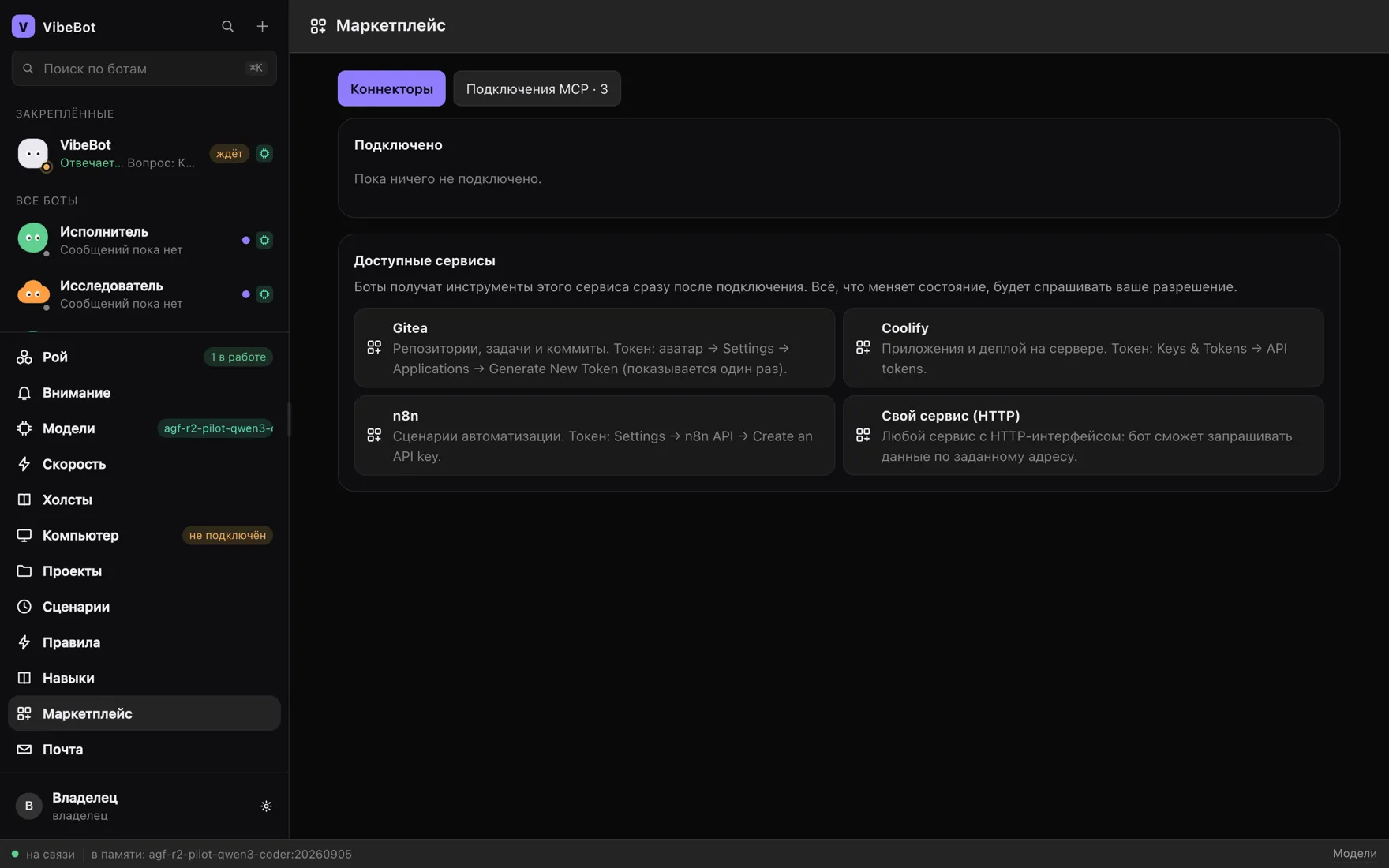
VibeBot “Marketplace” screen: Gitea, Coolify, n8n and a custom HTTP service handed to bots as tools
06 / 06

Connections that become hands

Repositories, deploys, automation scenarios, any HTTP service of your own and MCP servers. Connect one and every bot gets those tools at once. Anything that changes state still asks for permission.

Next